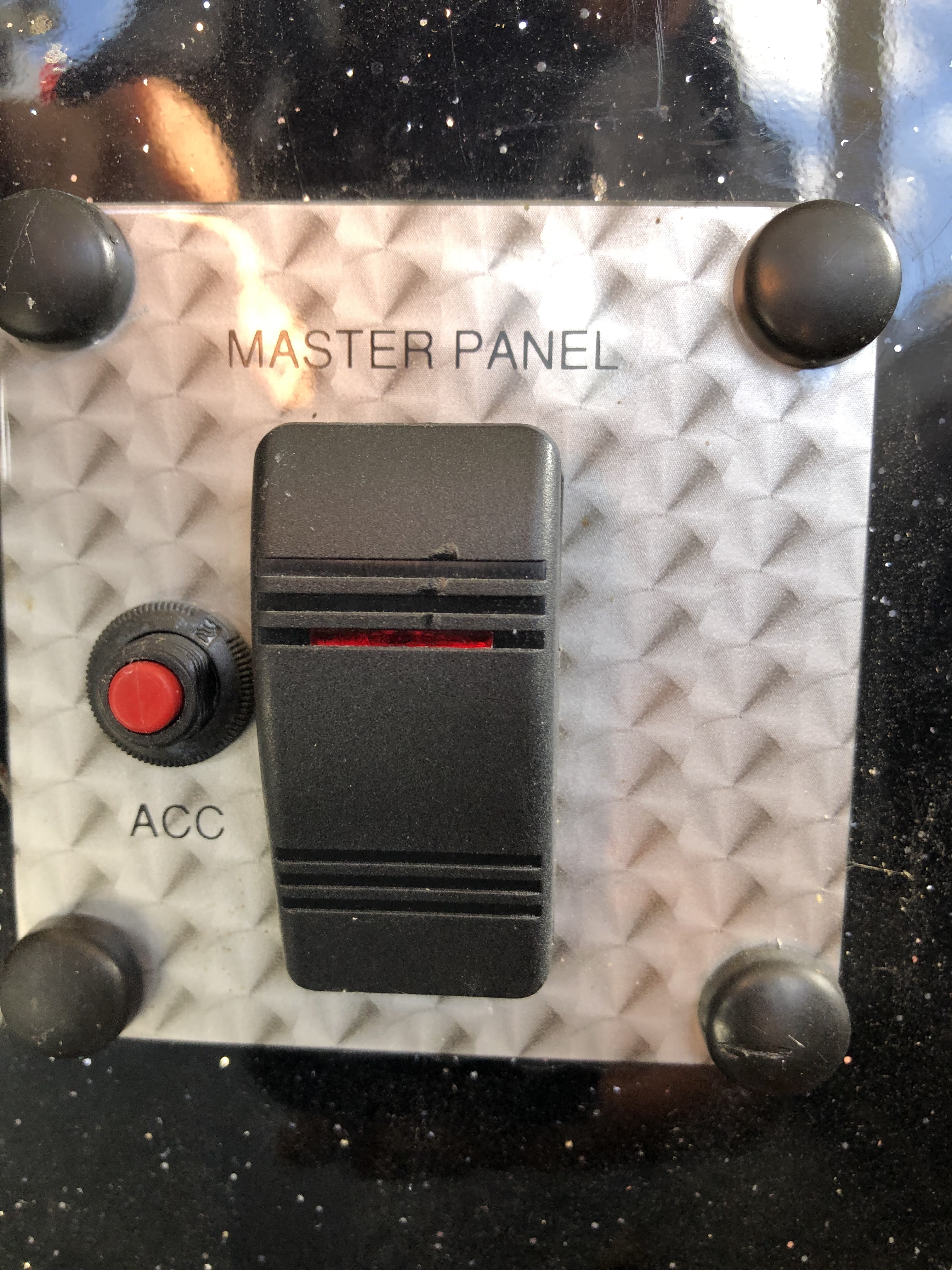
I figure already did this, but make sure there are no loose wires that you missed changing out the battery. Also when you turn the switch on the red indicator should come on. If it does you have power to the switch.
The black things should just be covers for the screws under them. You can use a flat screw driver to pop the covers off if you want to pull the whole thing out.
Instead you may want to use a flat screw driver to press down the tabs on the top and bottom of the switch to pull it out. When you pull the switch do it slow to make sure you do not pull any of the wires loose. There should be 3 wires on the switch. You should have a red coming from the battery, black for ground that lets the red light indicator work, and either an orange or red wire going to the control panel for the pumps and nav lights.
You might be able to reach to where the switch is and feel the back of it to see if any wires are loose before you go thru the trouble of pulling the switch out.

 .
.